Bulk Import of Candidates
Whilst entering candidate information individually works for small surveys, for larger scale projects you can generate an Excel file with 1 row per interview candidate and the columns mapping to the main fields on the interview page.
Pressing the  symbol above the interviewee list launches the input process. Select the Excel file containing the names and the following screen will be displayed allowing you to select the position of each field in the spreadsheet.
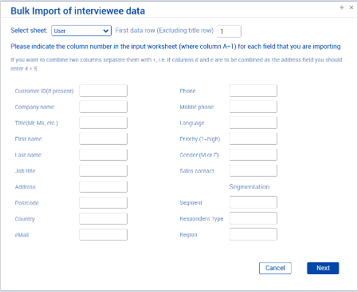
Once you have mapped all the fields, click next to attempt the import. A log of all potential imports will then be shown, if you are happy there are no errors, press save to import the data. The records should then be shown in the interview list and you can then go through them to schedule and assign interviews.