
This is an old revision of the document!
Table of Contents
The Survey Interview Software
General comments about conducting an interview
- Introduce yourself briefly unless they already know you
- Tell the customer about the benefits to them: “We conduct these interviews with our company’s most important customers to improve constantly our services. Your honest feedback is one of the most valuable sources to adjust them and provide higher customer value.”
- Never speak to an interviewee about other interviews: no results, no places, no names not about your next interviewee. Do not give any feedbacks or personal impressions. Don’t speak about internal problems of your company.
- Make a fluent discussion. Try to avoid the feeling of the interviewee, that he is filling a form.
- If short on time: set priority on CVA form, then open questions.
- Always keep time under control
- Ask for reasons for their scoring and add to the comments.
- Note as many quotes as possible.
Typical Obstacles
The CVA Input Software
The online CVA input software can be run either by the interviewer or by the respondent using a link to a web-based form. This allows for:
- face-to face interviews.
- On-line teams or zoom interviews.
- Direct web input by the interviewee.
If it is used for the respondent to complete the survey themselves, they are sent a unique link straight to their input form in the language chosen in the interview record.
Interviewers login using https://portal.pims.ai/cvainput/ and select the interview from the list:
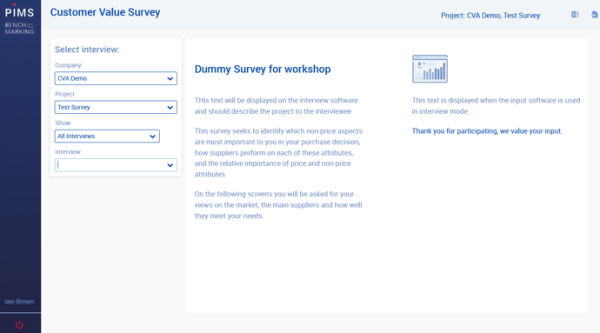
As an interviewer, on selecting the interview you are shown the interview details and offered the choice of wizard or “spreadsheet” type input.
Select wizard to conduct the interview and step through the process.
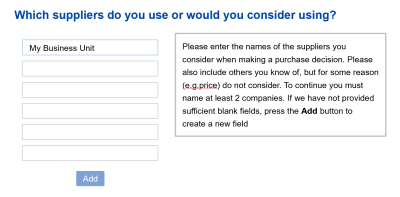
Step 1: Define the competitors
The first step is defining the competitors that the interviewee considers when making their purchase decision:
 Note:
We are entering data from the customers perspective, hence the use of the word “suppliers” in the software.
Note:
We are entering data from the customers perspective, hence the use of the word “suppliers” in the software.